AI Large Scale
Code Verification
AI code moves fast. Make your checks easier to trust—with useful findings, reproducible examples, and a clear view of what remains unchecked.
VERIFICATION IS A WORKFLOW, NOT A VERDICT
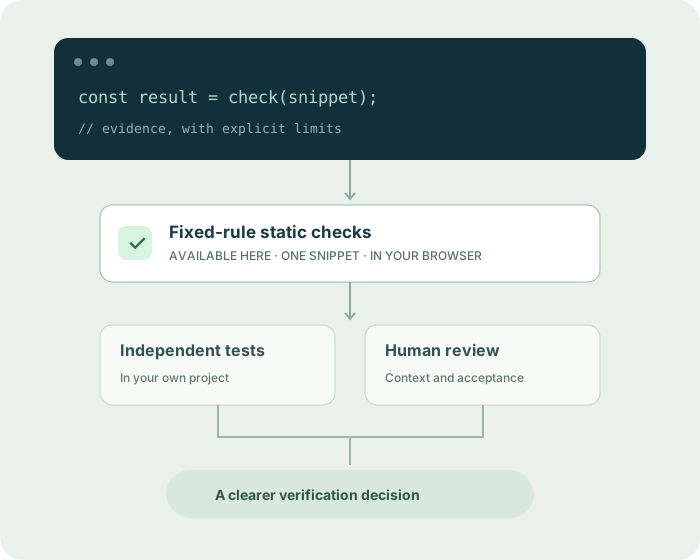
Start with something you can inspect.
Paste one snippet. Review its diagnostics and the limits of the checks. Your code is not uploaded to us or sent to an AI model.
Check results
Checks, rules and limits
Static checks cover selected patterns. Review the requirements, run independent tests in your own environment, and check the surrounding code.
Need the complete rule and scope notes? Open the static code analysis tool →
What does verification actually mean?
A useful result tells you what was checked, how it was checked, and which assumptions still need your attention.
Static checks
Parse the submitted code and look for specific patterns without running it. A finding has a rule and a location. A clean result covers only the rules that ran.
Run a local check →Independent tests
Test behavior against expectations defined separately from the implementation. Check boundaries and failure paths, not only the examples generated with the code.
Understand the test layer →Context and review
Inspect the change, its callers and its consequences. Human judgment and executable evidence help distinguish actionable defects from plausible suggestions.
Use the review checklist →Scale the process, keep the boundaries.
AI large scale code verification is a systems problem: more changes, more context, and more decisions to support with evidence.
Keep acceptance independent
Write the behavior and constraints before accepting an implementation. An AI author should not silently weaken its own tests or review policy.
Choose the right layers
Combine language checks, relevant analysis and tests in your own project. One snippet scanner cannot establish cross-file or production behavior.
Attach evidence to a change
Record the exact revision, configuration and result. Skipped, timed-out and stale checks must remain visible rather than becoming a green verdict.
Review before you merge
Validate important findings, rerun the original checks after a fix, and apply human review to risk and context the tools cannot establish.
Practical answers, with receipts.
How to Verify AI-Generated Code: A Practical Framework
Verify AI-written code with a seven-step workflow: clear requirements, static checks, independent tests, evidence and human review.
Read the guide ↗02 / INDEPENDENT REVIEWIndependently Review Cursor and Claude Code Changes
Review an AI-written diff with original requirements, a read-only review prompt, reproductions and unchanged regression expectations.
Read the guide ↗03 / BEYOND THE DIFFCross-File AI Code Review: How to Test Whether It Works
Test cross-file code review with a reproducible producer-consumer defect, unchanged caller, expected behavior and honest evaluation criteria.
Read the guide ↗Clear limits are part of a useful tool.
No findings is a result—not proof that a program is correct or safe. Start here, then use the checks your project actually needs.
Can this review an entire repository?
No. This tool checks one pasted snippet. It does not clone a repository or inspect related files. Our guides explain how to evaluate broader review workflows.
Can it tell whether code was written by AI?
No. We look for specific code issues, not authorship. We do not produce an AI-written probability or a plagiarism verdict.
Does the checker run code or tests?
No. Parsing and fixed-rule analysis happen in an isolated browser worker. Your program is never executed, and dependencies are not installed.
Does pasted code leave my browser?
No code is uploaded by the checker. Analysis engines are downloaded as static files. Optional page analytics load only after permission and do not include code or findings.
What should I do with a finding?
Read its rule and location, check the surrounding project context, and reproduce the suspected behavior where appropriate. Review a fix and rerun independent tests before relying on it.